
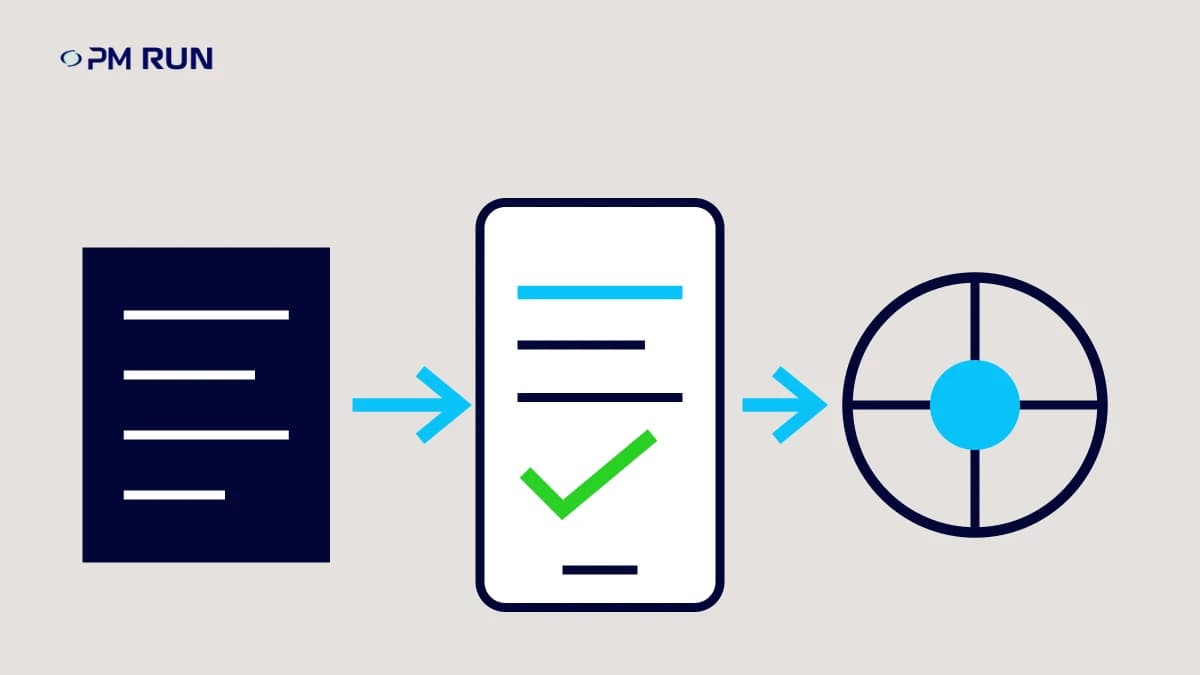
Understanding how to plan a mobile SAP PM project is the point where maintenance stops losing hours to paper, rework, and delayed field reporting and starts capturing real productivity in the field. When the team prioritizes the right workflows, such as creating maintenance notifications, executing work orders, confirming time, consuming materials, and capturing measurements, the SAP mobile project stops being just a new screen and starts addressing bottlenecks that affect MTTR, availability, and traceability. Without this focus, the operation keeps paying for unnecessary travel, incomplete data, harder audits, and maintenance planning decisions based on information that arrives late. This article shows how to structure the initiative around the field processes that have the greatest impact on productivity, data capture quality, and response time. The maintenance team will have a practical roadmap to move beyond the app discussion and evaluate integration, implementation, metrics, and selection criteria with a focus on operational results.
Why bringing SAP PM into the field has become an operational priority
A mobile project becomes a priority when the delay between field execution and the record in SAP PM starts to distort scheduling, metrics, traceability, and decisions by the maintenance planning team. The issue is not SAP PM itself, but the operational gap between maintenance performed on the asset and the structured information that reaches the system.
In many plants, the PM work order is completed during the shift, written down on paper or in a separate spreadsheet, and confirmed hours later. When this manual closeout becomes routine, maintenance planning starts working with previous-day or two-day-old data: the operation has already changed, but the system still describes the prior scenario.
The diagnosis shows up at the friction points
- Delayed field reporting: hours worked, start time, end time, and downtime cause reach SAP PM late.
- Incomplete PM notification: symptoms, photos, measurements, and technical notes get lost between execution and recording.
- Weak traceability: materials, owners, times, and evidence are spread across paper, messages, and team memory.
- Decisions based on stale data: backlog, rescheduling, and MTTR or availability indicators reflect an operation that has already moved on.
When discussing how to build a mobile project for SAP PM, the first question should be operational: which field workflows create the most loss when they are recorded late or with poor quality? Usually, the answer includes notification creation, work order release, time reporting, material consumption, condition measurement, and work order confirmation.
Bringing SAP PM into the field reduces the gap between execution and reliable information. Maintenance no longer depends on reconstructing what happened after the fact and instead records evidence at the moment of service, with stronger process adherence and less administrative rework.
This progress directly affects productivity, avoided cost, and KPI reliability because the maintenance planning team plans with data that is closer to operational reality.
What a mobile SAP project needs to integrate into the maintenance process
A mobile SAP project should prioritize maintenance workflows that depend on field execution and fast feedback to the ERP, especially work orders, notifications, confirmations, measurements, and technical history. For anyone trying to understand how to build a mobile project for SAP PM, the starting point is not copying screens, but mapping the real work performed by the team.
Critical SAP PM workflows in the field
- PM work order: receipt of the work order, priority, work center, operation, instructions, attachments, and technical completion.
- PM notification: logging anomalies, failure description, symptom, cause, effect, and linkage to equipment or functional location.
- Confirmations: actual times, start, finish, responsible person, completed operation, and reason for delay, connecting the logic of IW41 with review in IW47.
- Work order list: an operational view similar to IW38, but filtered so the technician can execute what has been released to the field.
- Materials: planned consumption, material used, reservation backlog, and the impact of missing parts on repair time.
- Measurements: hour meter, temperature, pressure, vibration, or other readings that feed preventive and predictive maintenance.
- Equipment and functional location: correct technical hierarchy to preserve traceability, history, and failure analysis.
When time reporting and confirmations no longer depend on paper, spreadsheets, or later data entry, the team reduces visible rework: fewer work orders returned for incomplete information, fewer time discrepancies, and stronger alignment with what was actually performed on the asset.
The mobile solution integrated with SAP PM needs to respect the ERP operating model. A standalone app may look simpler on the screen, but it creates duplicate data entry, fragmented history, and loss of governance for maintenance planning and control.
The right scope protects data quality and turns mobility into measurable gains in productivity, traceability, and MTTR reduction.
How to structure a mobile SAP PM rollout without disrupting operations
The rollout should start with a high-impact pilot workflow, validate integration and field adoption, measure results, and only then expand to other assets, crews, or plants. This is the safest path for teams trying to understand how to build a mobile project for SAP PM without attempting to mobilize the entire maintenance process at once.
Practical roadmap to reduce operational risk
- Assess the current process: maintenance planning should map where information gets delayed between the field and SAP PM. This analysis should include notification creation, PM order release, time confirmation, material usage, measurement readings, and technical completion.
- Select a pilot workflow: the team should prioritize a scenario with meaningful volume and a clear pain point, such as corrective work on a critical line, high-frequency PMs, or inspections with measurement points. The pilot needs to involve one work center, one equipment family, and simple follow-up rules.
- Design the SAP PM integration: every data point captured on the mobile device should have a defined destination in SAP PM. PM order, PM notification, equipment, functional location, confirmation, material, and measurement data must remain traceable, without creating a parallel database outside the system of record.
- Test in the real field environment: technicians should use the app during their normal routine, including areas with unstable connectivity, short shutdown windows, and production pressure. The test should check usability, form completion time, screen clarity, and consistency of field confirmations.
- Train around the routine, not the feature: training should show how to open, execute, confirm, and close a digital work order within the real maintenance workflow. This reduces resistance and administrative rework.
- Expand based on evidence: before and after the pilot, maintenance planning should compare average closure time, the percentage of confirmations completed on time, and the volume of manual corrections. A visible reduction across these three points indicates readiness to expand by area or plant.
When expansion follows operational data, the mobile SAP project stops being a screen replacement and starts acting directly on productivity, MTTR, history reliability, and avoided cost.
Metrics to prove the ROI of a mobile SAP PM project
ROI should be measured through clear operational gains: less administrative time, more on-time confirmations, better traceability, and impact on MTTR, MTBF, OEE, and availability.
For teams evaluating how to build a mobile project for SAP PM, the question is not only how much the app costs. The right question is how much the operation loses when the PM work order takes too long to return from the field with complete data.
Practical KPI matrix
- Field productivity: measures work orders completed per technician, administrative travel time, hours spent on later data entry, and rework volume caused by incomplete reporting.
- Reporting discipline: tracks the percentage of on-time confirmations, time between execution and SAP PM entry, notifications created in the field, and data quality by equipment.
- Reliability: connects faster entry to MTTR tracking, recurring failures, asset history, and MTBF improvement.
- Availability and operation: monitors impact on downtime, response time, PM schedule compliance, OEE, and availability by line, area, or plant.
- Financial management: translates gains into avoided cost, reduced administrative hours, better crew utilization, and lower risk from decisions based on delayed data.
A mobile SAP PM project earns budget support when field reporting stops being only an operational routine and starts generating evidence for maintenance, operations, and financial management.
There are concrete references to calibrate the analysis. Rivelli recorded a 50% reduction in time spent on manual tasks, while Citrosuco achieved 95% work order confirmation in the plant evaluated. These figures should not be treated as a universal guarantee, but they show which metrics deserve a baseline before the pilot.
Quotable excerpt: a mobile SAP PM project proves ROI when it turns every completed work order into reliable data for industrial productivity, reliability, and availability.
With indicators defined before expansion, the investment no longer depends on perception and can be defended through KPIs, avoided cost, measurable productivity, and mitigated operational risk.
Criteria for choosing a mobile solution integrated with SAP PM
The best mobile solution for SAP PM is one that keeps the ERP as the system of record, simplifies field execution, and delivers traceable data without creating rework for maintenance planning.
For teams evaluating how to build a mobile project for SAP PM, the buying process should not start with the number of screens. The main criterion is fit with the real maintenance process: PM order, PM notification, confirmation, material, measurement, equipment, and functional location.
Objective evaluation criteria
- Native integration with SAP PM: the solution must record data in SAP without parallel spreadsheets, duplicated databases, or later data entry by the administrative team.
- Simple field execution: the technician should be able to open, report work, attach evidence, check history, and complete the digital work order in just a few steps, including offline scenarios when the plant requires it.
- Traceability by technical object: each record must remain linked to the PM order, PM notification, equipment, functional location, user, date, time, and execution status.
- Support for maintenance planning: the solution must improve planning, scheduling, backlog tracking, and confirmation review, not just digitize forms.
- Industrial scalability: the vendor must support multiple plants, access profiles, business rules, and a high volume of orders without losing governance.
Field experience also matters. A base of more than 12,000 supported users indicates exposure to real industrial maintenance routines, connectivity variations, different maintenance planning maturity levels, and typical SAP integration constraints.
The safest decision combines reliable integration, easy use for technicians, and consistent data for management. This combination reduces administrative rework, protects traceability, and improves productivity measured through on-time confirmations, MTTR, availability, and OEE.
A mobile project for SAP PM only creates value when it starts with the field workflows that slow down maintenance execution: work orders, notifications, confirmations, measurements, materials, and technical objects. Teams that keep D-1 or D-2 confirmations lose productivity every day, because maintenance planning makes decisions late, traceability remains incomplete, and administrative rework consumes operational capacity.
To turn that lost value into measurable efficiency, PM Run helps structure mobility integrated with SAP PM, focused on execution, traceability, and indicators such as MTTR, MTBF, OEE, and availability. Book a free demo of PM Run.
What paper forms cost the maintenance team
When the order goes to the field on paper and comes back filled in by hand, information is lost at three points: the technician writes from memory or in a hurry, someone interprets the handwriting and types it into SAP hours or days later, and the paper is filed where nobody looks again. The effect shows up as rework and weak history.
- Filling errors: readings without units, blank mandatory fields, causes written differently by different technicians.
- Re-entry: the planner or clerk transcribes hours, materials and notes, and each transcription is a chance to post to the wrong order or operation.
- Late data: confirmations reach SAP after the shift, so MTTR, backlog and cost per asset reflect when the data was typed, not when the work was done.
- Lost history: torn, stained or unindexed sheets stop being useful for recurring failure analysis.
A mobile project removes these points when the order, checklist, measurement reading and confirmation are created digitally where the work happens and go straight to SAP PM, online or offline, at synchronization.
Frequently asked questions about how to build a mobile project for SAP PM
What is a mobile SAP PM project in industrial maintenance?
A mobile project for SAP PM is the structuring of maintenance workflows so technicians can execute, enter, and confirm field activities on a phone or tablet, with integration to SAP PM. The goal is not just to replace paper with a screen, but to reduce confirmation delays, administrative rework, and loss of traceability. The PM order, PM notification, measurements, and equipment records remain connected to SAP PM as the system of record.
Which SAP PM processes should be prioritized in a mobile rollout?
Priority should go to the processes that most affect productivity and response time: opening and handling PM notifications, executing PM orders, time confirmation, material consumption, measurement entry, and evidence capture. The analysis should also include the equipment, functional locations, and PM routes with the highest work order volume. A strong pilot starts with workflows that have high volume, frequent update delays, and a clear impact on MTTR, availability, or backlog.
How should you measure the success of a mobile project integrated with SAP PM?
Success should be measured with operational indicators before and after rollout. The team can track the percentage of work orders confirmed on time, average time between execution and confirmation, reduction in administrative rework, record quality, and impact on MTTR, MTBF, OEE, and availability. In mature operations, field digitalization can support gains such as up to 50% higher productivity and up to 30% more work order confirmations, as long as the process is well designed.
When does it make sense to buy a ready-made solution instead of developing an internal app for SAP PM?
A ready-made solution tends to make more sense when the company needs to reduce integration risk, accelerate field validation, and avoid having the internal team maintain SAP PM-specific rules alone. Internal development may seem easier to control at first, but it usually requires ongoing support, workflow-by-workflow testing, offline control, and adaptation to process changes. PM Run fits into this evaluation when an industrial company is looking for an operational layer integrated with SAP PM, without removing SAP from its role as the system of record.
What criteria should you use to choose a mobile platform for SAP PM?
The evaluation should consider reliable integration with SAP PM, fit with real maintenance workflows, online and offline operation, usability for field technicians, traceability by technical object, and support for maintenance planning and scheduling. It is also important to verify how the platform handles orders, notifications, confirmations, materials, measurements, equipment, and functional locations. In PM Run's case, having more than 12,000 users served helps reduce uncertainty around adoption, support, and operational maturity in industrial environments.